Making an app no longer has to start with a line of code. AI app builders ask for the What, and they generate the How for you, right before your eyes. But just like no two humans are alike, Dyad and Replit take different routes to reach the same goal. To compare them, I built the same app in both and looked at how each handles setup, hosting, pricing, and privacy. Let me share what I found!
What is Dyad?
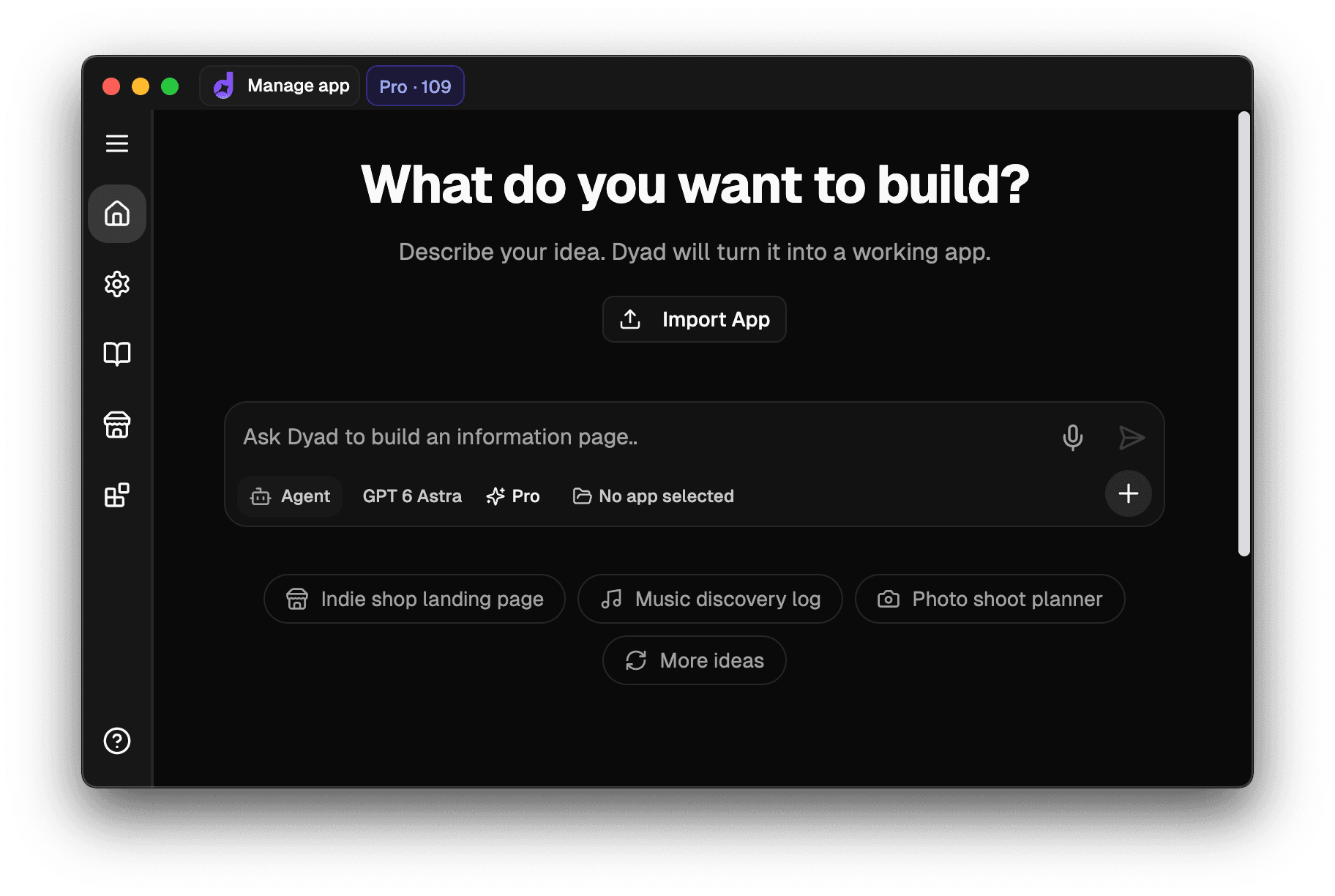
Dyad is an open-source AI app builder that runs locally, on Mac and Windows, with experimental Linux builds. You tell it what you need in a chat, and Dyad generates the code using the AI model of your choice. You can preview the result and ask for edits. The generated project files are saved on your computer. When you use a cloud AI provider, prompts and relevant code are sent to that provider; a local model keeps AI processing on your machine too.
For the choice of AI models, Dyad supports OpenAI, Anthropic, and Google models, among others, BYOK (Bring Your Own Key) style, as well as local models through Ollama and LM Studio. With a $20/month Pro subscription, Dyad's own AI credits let you avoid setting up and managing AI provider keys yourself.
What is Replit?
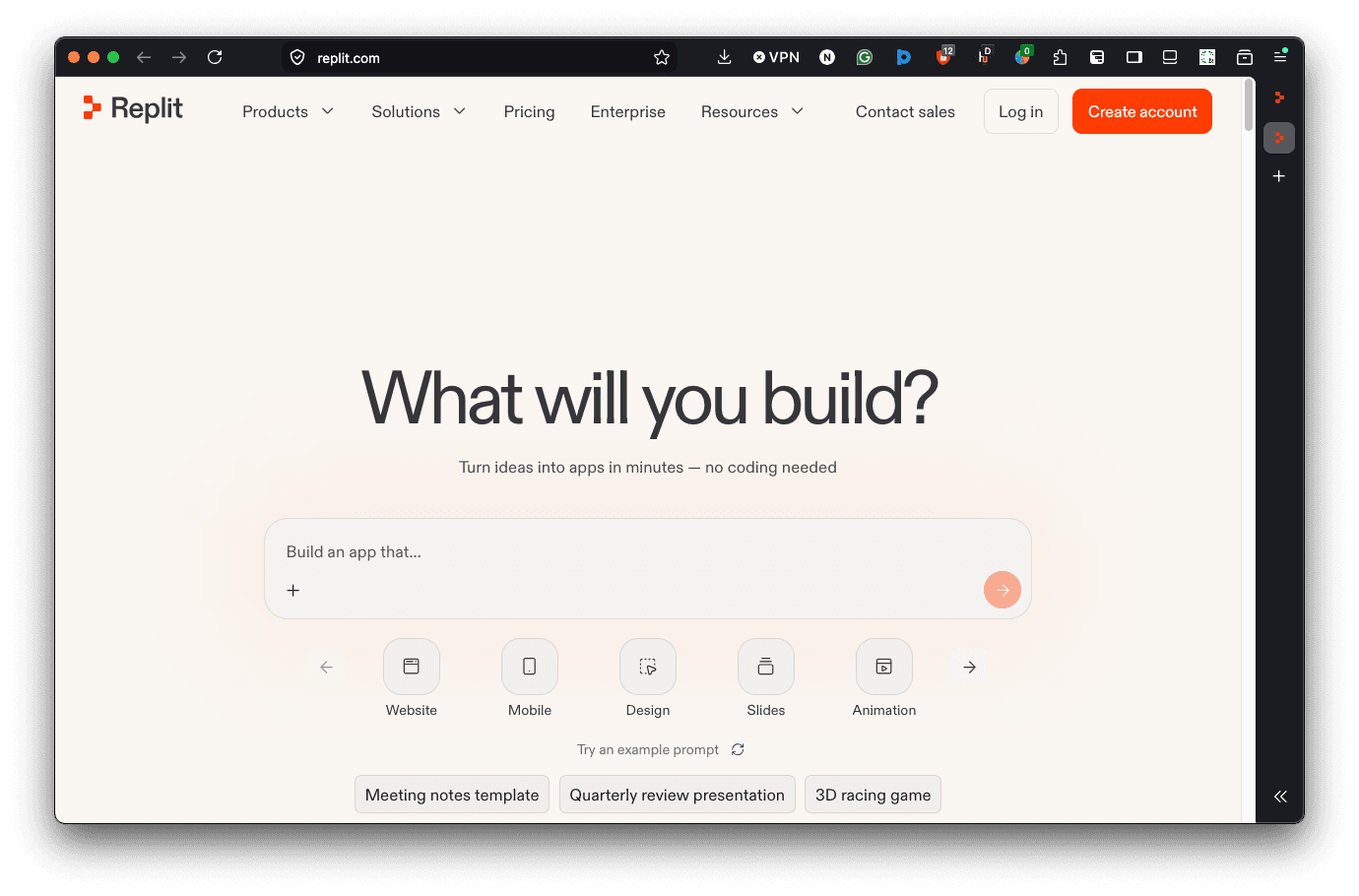
On the flip side, Replit keeps it all in the cloud. Starting up in 2016 as a browser-based IDE before shifting its focus to AI in 2024, Replit is currently an AI app builder executing the user's plain English prompt through its Replit Agent to produce an editable, hostable app.
If you'd rather use a dedicated app than a browser tab, Replit also provides desktop and mobile apps that connect to Replit's cloud.
Testing Both Tools With a Kanban Job Tracker
For the test, I created a job application tracker app as a kanban board. A kanban board is a visual tool used by teams to track and manage tasks and workflows, organized into columns for each stage and cards you move between them.
Here's the prompt I pasted on both Dyad and Replit:
Build a job application tracker as a Kanban board, with columns for Applied, Interview, Offered, and Rejected. Users sign up and log in, then add application cards with the fields Application date, Company name, Job title, and drag them between columns. Save everything to a database so each user only sees their own applications.
Setting Up and Building the Tracker
This is where the differences start to emerge.
Dyad
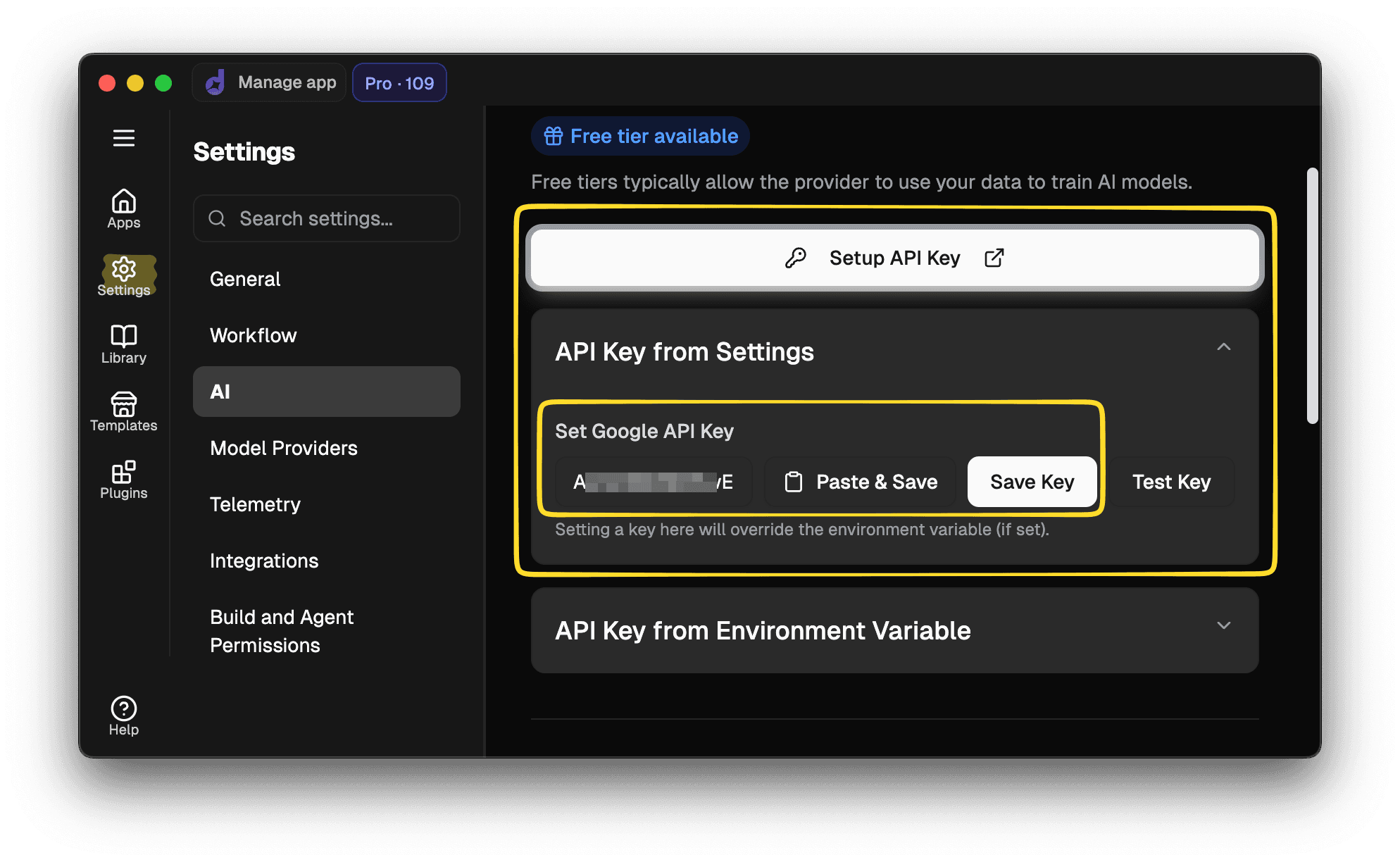
After downloading Dyad matching your machine's operating system and installing it, you can add an AI provider key or use Dyad's credits on a paid plan. The quickstart guide walks you through the install and AI setup steps.
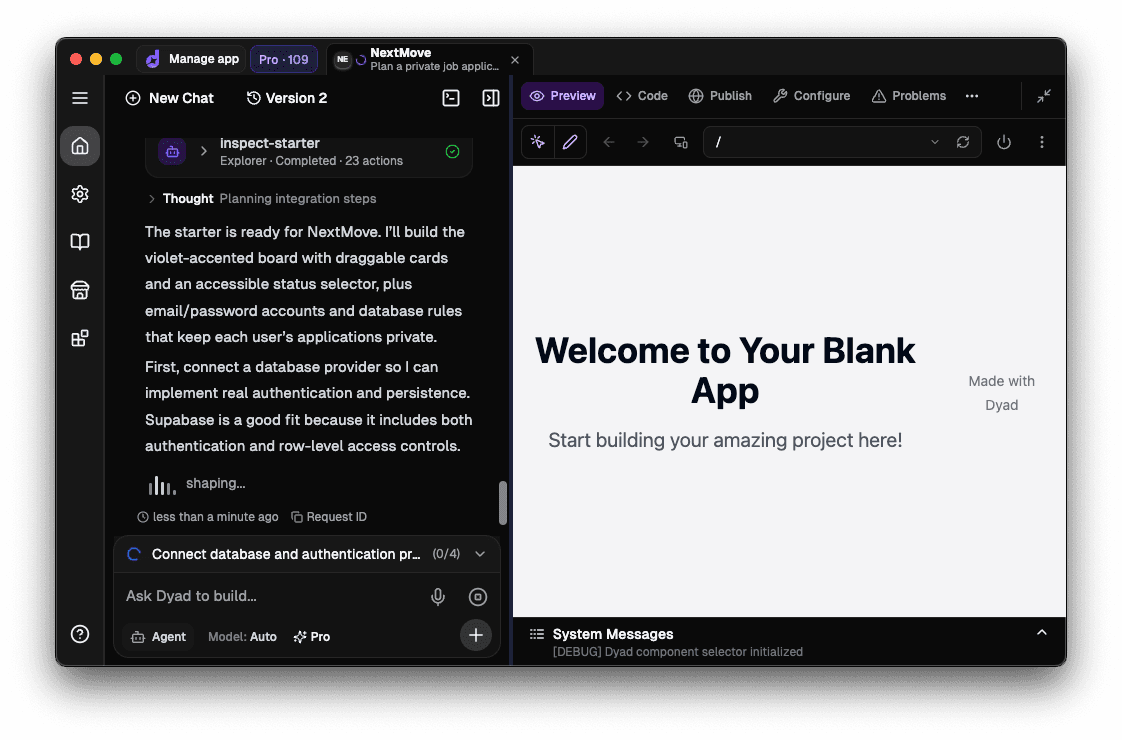
I pasted the prompt into Dyad's chat and watched Dyad generate the app with a live preview alongside the chat.

Replit
Nothing to download or install if you're working in the browser, but Replit does ask you to create an account before it lays hands on your prompt.
I pasted the same prompt into Replit's Agent, which planned an app structure and built it, posting status updates as it went, then presented me with the resulting app and a summary.
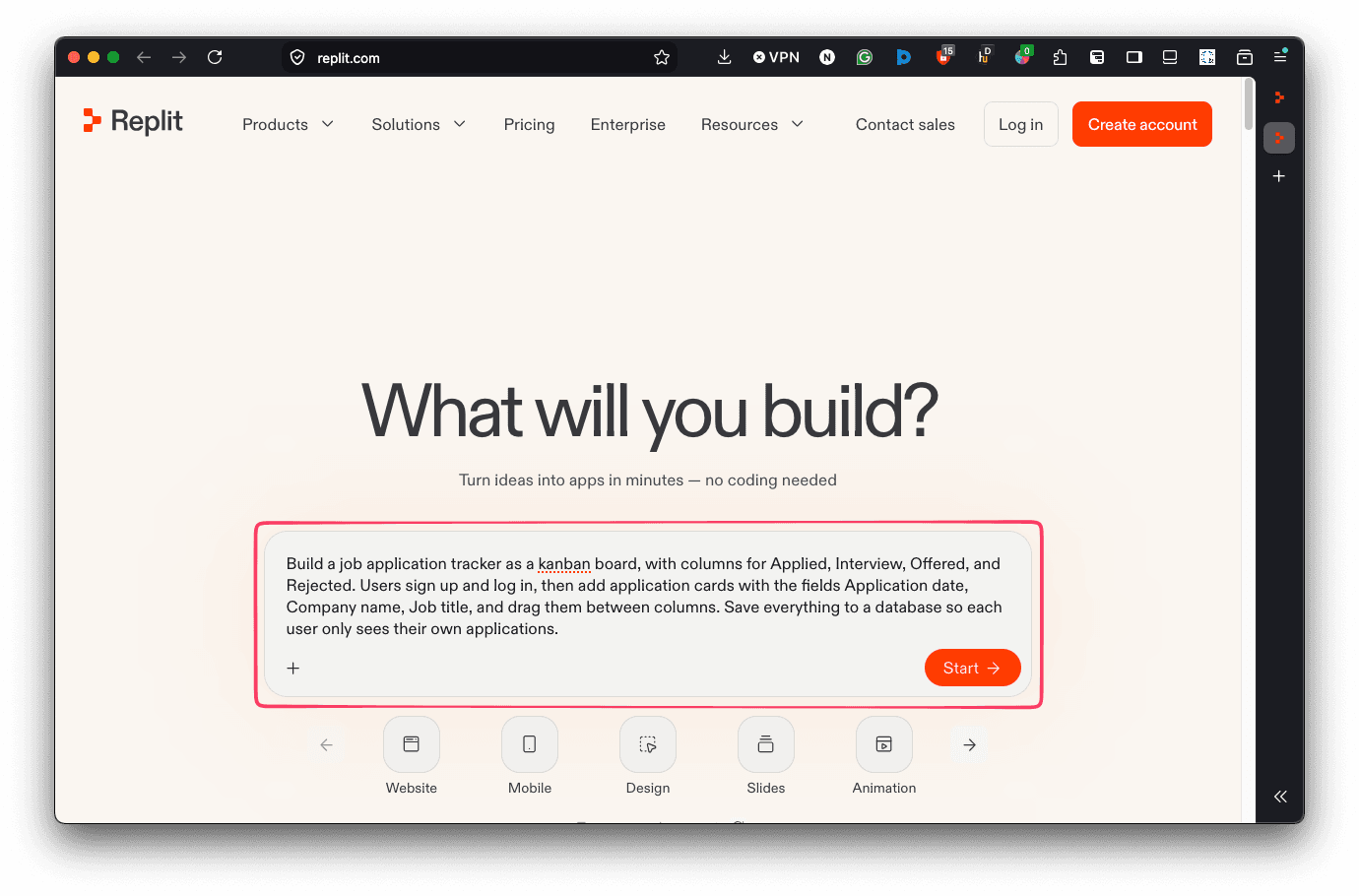
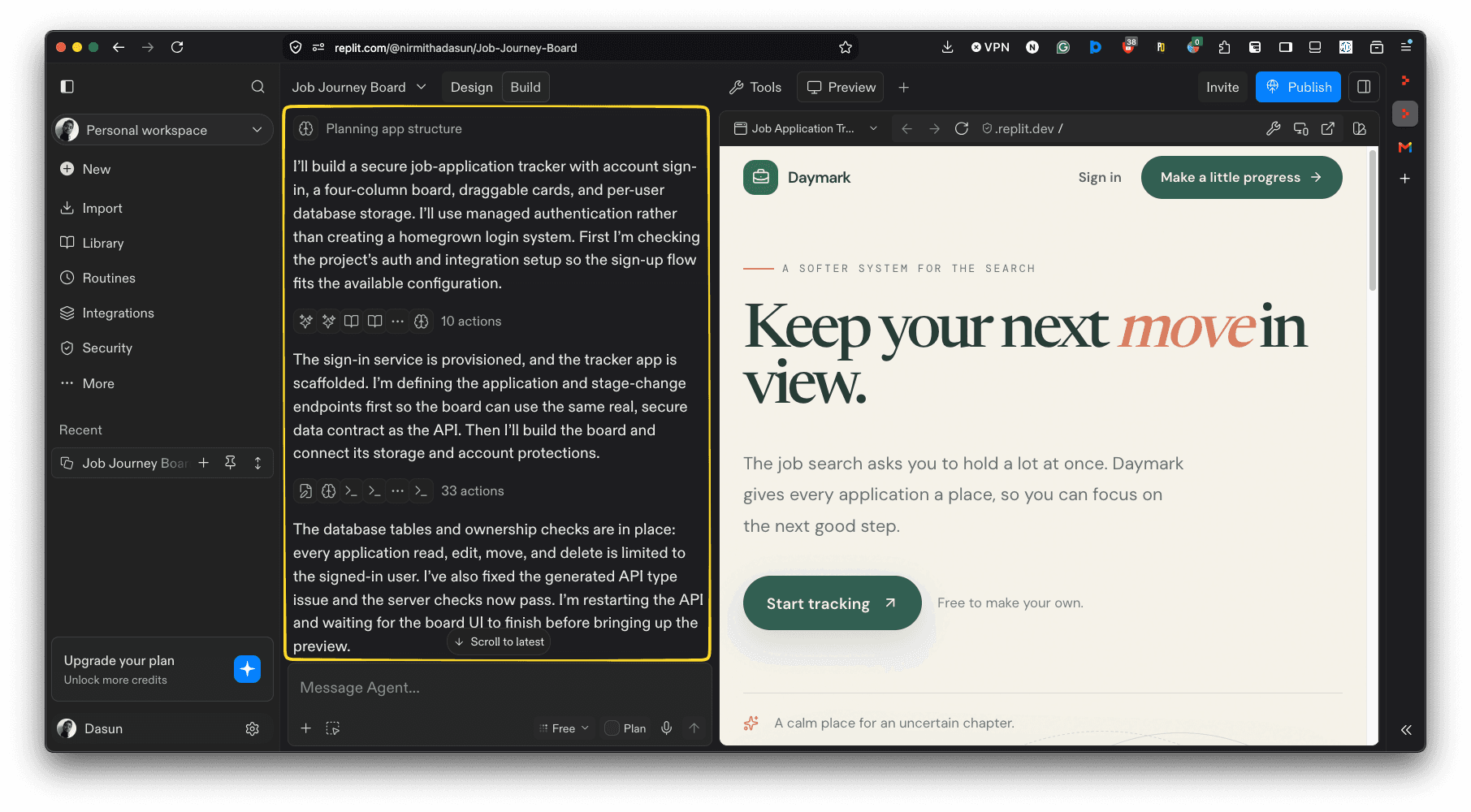
So, setup-wise, the difference comes down to what each tool asks for: Dyad says "install me locally and set me up with an AI provider, or use my credits on a paid plan", while Replit says "create or log in to an account first off".
Login, Database, and the Finished Board
The very last line of the prompt, "each user only sees their own applications", is where the two tools take their own paths, so to speak.
Dyad connects to your own Supabase or Neon account for the database and authentication. I chose Neon so Dyad could make its database changes on a development branch, then migrate the schema to the production branch once those changes are ready. Additionally, as a worthy yet indispensable bonus, Dyad bundles in an AI Security Panel to scan your app for basic vulnerabilities such as SQL injections and authentication misconfigurations.
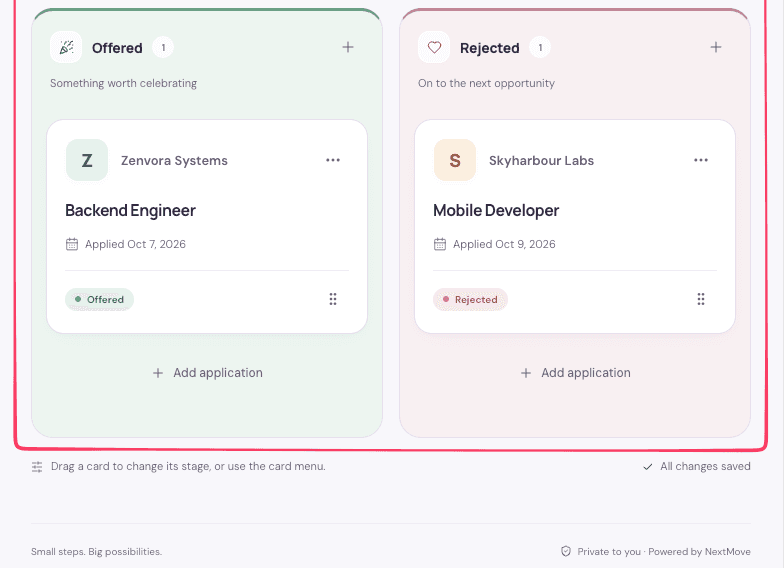
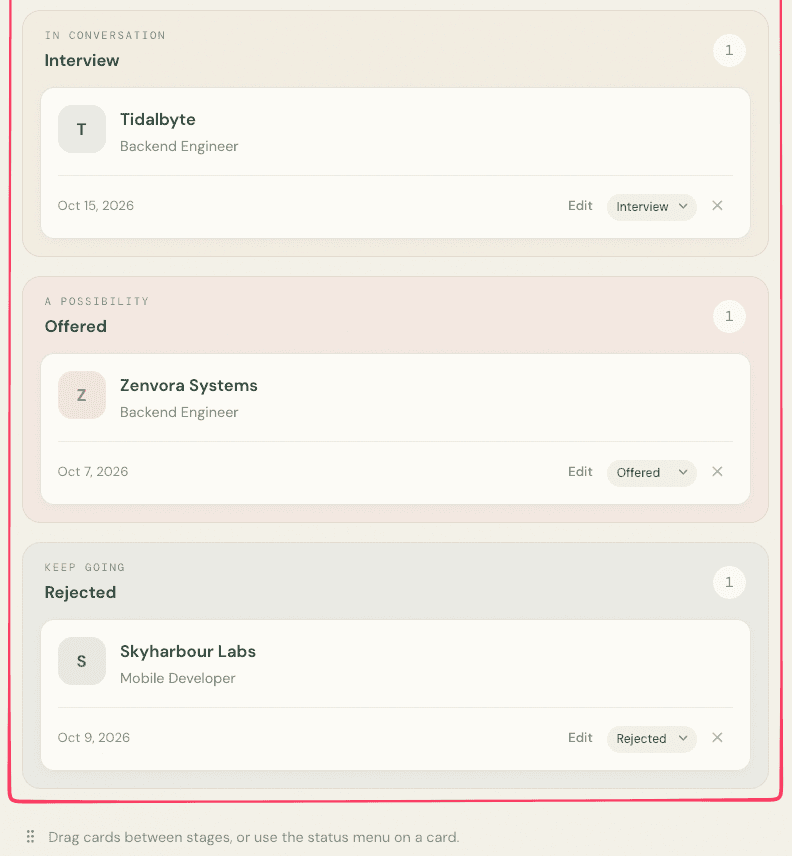
In contrast, Replit takes the database and authentication matters into its own hands. Every Replit app comes with a database by default, and you can ask the Replit Agent to add its built-in authentication, which is Replit Auth. If you've got a keen eye, you'll have noticed my prompt already asked for both a login and a database. So, here are the Kanban boards each tool produced:
Dyad

Replit

Where the Deployed App Is Hosted: Together or Separated?
Please excuse my obvious pun, but that's the main difference between the two tools when it comes to hosting.
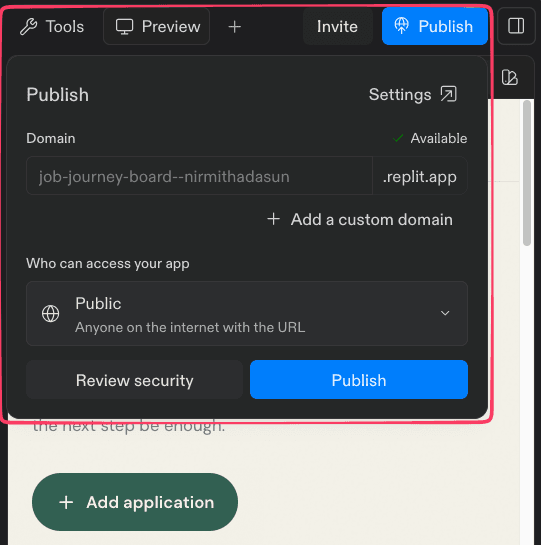
Replit hosts what it builds, so I could publish from the same place. Once the Replit Agent finished its build, I could start it by prompting the Agent with "Publish this app".
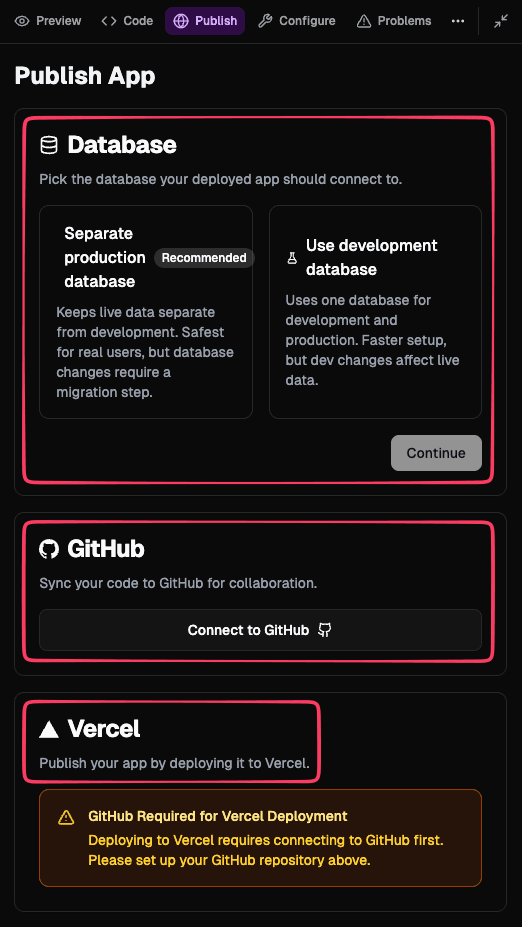
Instead of hosting my app by itself, Dyad walked me through pushing the project to GitHub and deploying it with Vercel, while also informing me I can deploy to any cloud provider.
So, with Replit, hosting comes built-in, and with Dyad, the choice is yours to make.
Dyad
Replit
Pricing: One Bill or Split Bills?
At this rate, I'll stop apologizing for my technically correct puns!
| Dyad | Replit | |
|---|---|---|
| Starting out | Free. The full app costs nothing, with your own AI key or a local model. | A free Starter plan with daily Agent credits up to a monthly cap and one published app whose link goes down after 30 days. |
| Paid plans | Dyad Pro is $20 a month with 200 AI credits, and Max is $79 a month with 900. | Core is $20 a month. Pro starts at $100 a month with tiered credits, for up to 15 builders. |
| Ongoing costs | Your AI provider bills you directly when you use your own key. Dyad adds no processing fee, and local models have no API usage charge. Hosting and database costs depend on the services you choose. | Credits are shared by Agent usage, compute, and deployments, and anything over the included amount is billed on top. |
Both companies adjust their pricing plans fairly often, so read this table only as an October 2026 snapshot, and confirm the numbers on Dyad and Replit's pricing pages before you make your decision.
The two tools bill in different ways. Replit's credits are effort-based, so a quick edit costs less than a complex task, and Agent usage, storage, and database all draw from one credit pool, one bill. Contrastingly, with Dyad, the cost for AI usage goes to whichever provider you pick, and the hosting is separately paid to the host you choose, the bills are split.
Which Is Your Match?
Dyad or Replit? The choice boils down to 2 questions: Where do you want your project to live? How would you like to pay for it?
Dyad may suit you if:
- You want your project files on your own machine.
- You're fine with a short setup before the first prompt.
- You want to pick your own AI provider or run a local model.
- You’d rather pay your AI provider directly for what you use.
Replit may suit you if:
- You want to build and host your app in one place.
- You want multiple people working on the same project.
- You prefer working in your browser instead of installing anything locally.
Still not sure which one to pick? No pun intended this time around, but why not give both a try before committing? Dyad is free to download, and Replit has a free Starter plan, so you can build the same app in both, like I did, to see which one works best for you.
FAQ
Is Dyad free?
The app is free and open source, with no sign-up needed. If you use your own API key, your provider bills you for usage, unless you run a local model. Dyad's paid plans are optional.
Is Replit free?
Replit has a free Starter plan with daily Agent credits up to a monthly cap and one published app. The published link goes down after 30 days. Paid plans start at $20 a month.
Can Replit run locally like Dyad?
No. Replit has browser, desktop, and mobile apps, but each relies on a cloud-based development environment rather than running locally on your machine.
Can you deploy apps built with Dyad to hosting providers other than Vercel?
Yes. You can use any hosting provider that supports JavaScript apps, such as Netlify and Cloudflare.
Do I need an account?
Not for the Dyad app itself, though connecting Neon, Supabase, GitHub, or Vercel means signing in to those services. Replit needs an account from the start.